
Recognize common mistakes in models (hardcoding, circular references, inconsistent formulas, undocumented assumptions) and suggest a fix.
Four critical mistakes in financial models
Learn to spot them — and don't repeat them
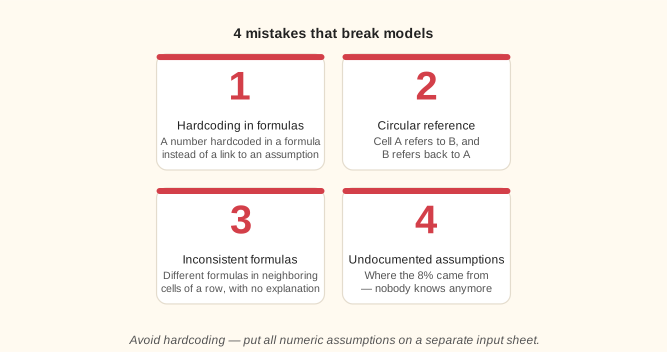
Most mistakes in models come down to four patterns, each of which undermines the model's reliability and maintainability.
Lesson notes
How not to ruin a financial model
Mistake 1 — hardcoding numbers in formulas. A factor or rate hardcoded in a formula (=B2*1.05) is a “hidden” assumption: you can't see it without opening the cell, and it's hard to change everywhere at once. Six months later nobody — the author included — will remember where 1.05 came from. Fix: put every number in an assumption cell.
Mistake 2 — circular references. A cell refers to itself through a chain of formulas (e.g., A1 → B1 → A1). Excel shows a warning, and unless iterative calculation is on, the cell shows 0 or its last value. Accidental ones break the model and give wrong results. To find them: the Formulas tab → Error Checking → Circular References. Fix: restructure the logic so there's no loop.
Mistake 3 — inconsistent formulas and wrong ranges. If C5 contains =SUM(C1:C4) but D5 suddenly has =D1+D3 (row D2 is skipped), the totals will be wrong. Especially dangerous: accidentally including a subtotal row in a sum formula, so the amount is counted twice. Fix: fill formulas across instead of typing each cell by hand.
Mistake 4 — undocumented assumptions. If nothing records where an 8% growth rate or an exchange rate of 90 came from, a month later you can't check whether the inputs are still current. Remember “garbage in — garbage out”: a model is only as good as its inputs. Rule: note the source and the date next to each assumption or on a separate sheet.