
← Financial Modeling in Excel from Scratch
Lesson
The PMT annuity payment and choosing among the financial functions
Calculate an annuity loan payment with the PMT function, and deliberately choose the right function among PV/FV/NPV/IRR/PMT for the task.
Five Excel financial functions: when to use which
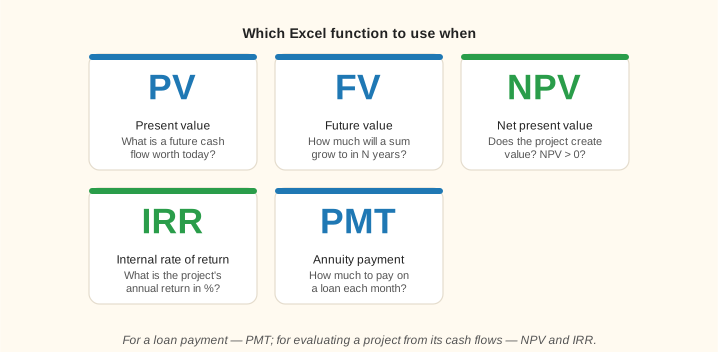
PV, FV, NPV, IRR, PMT — each has its own job
Beginners often confuse PV and NPV or use IRR without considering the project's scale — the table helps you pick the right function in seconds.
Lesson notes
PMT, and which function to use when
An annuity is a series of equal periodic payments. A mortgage, an auto loan, a lease — all of these are annuities. The PMT function calculates the size of one such payment.
Syntax: PMT(rate, nper, pv, [fv], [type]), where rate is the rate per period, nper is the number of periods, pv is the present value (the loan principal), fv is the balance you want left at the end (usually 0), and type is 0 (payment at the end of the period) or 1 (at the beginning). Microsoft's example: a $10,000 loan over 10 months at 8% a year. Monthly rate = 8%/12. Formula: =PMT(8%/12, 10, 10000). Result: −$1,037.03. The minus sign means a cash outflow — that's normal.
Important: the rate in PMT must match the period. For monthly payments, you need a monthly rate (annual / 12); for quarterly payments, a quarterly rate (annual / 4). This mistake is very common.
Which function should you choose? PV and FV — for a single sum (a deposit, a one-time payment). NPV and IRR — for uneven cash flows (project finance, business cases). PMT — for equal periodic payments (loans, annuities). Choosing the right function is half the battle in financial modeling.